
NetSkateKoban v5.4
We released the latest version, v5.4, which includes new features and further improved stability.
What is NetSkateKoban?
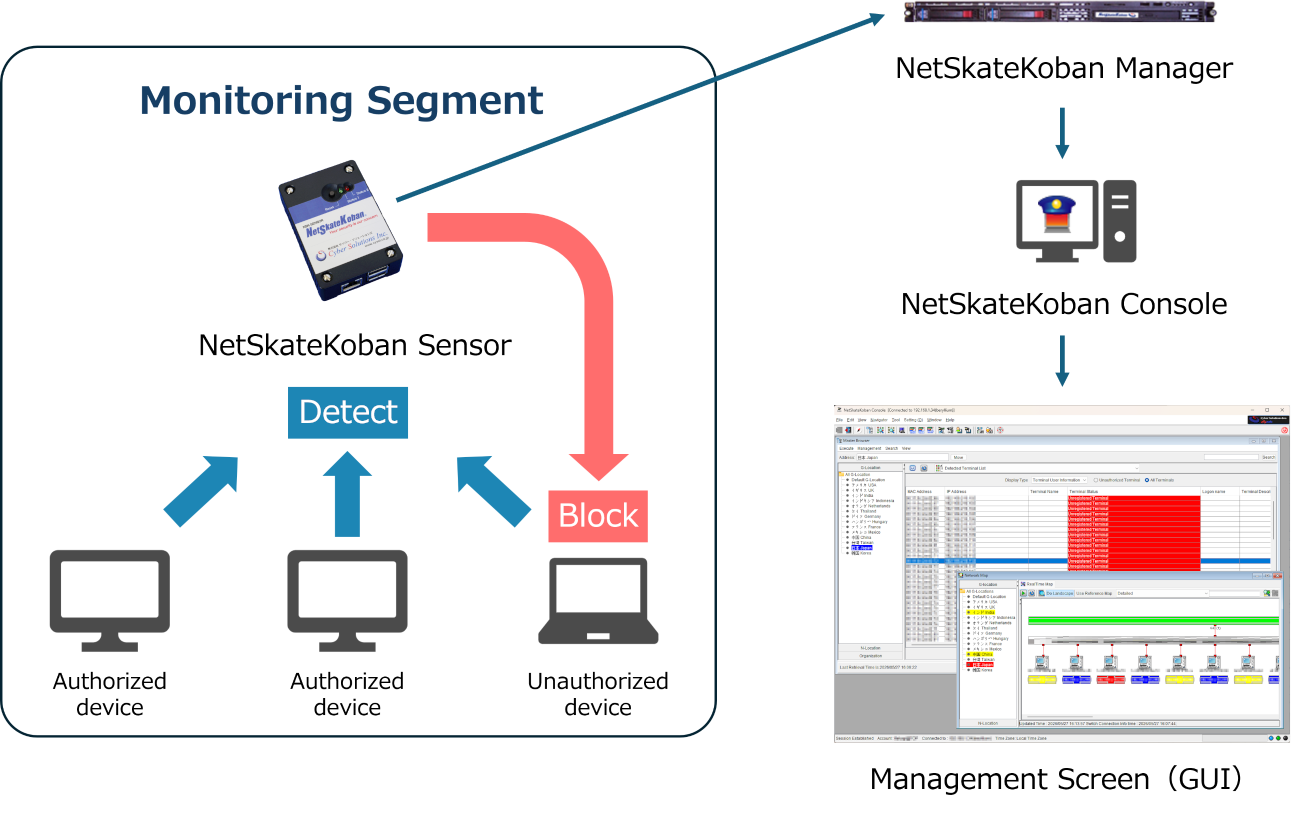
This is a network management solution that offers the following features:
- Real-time detection, blocking, and email notification of unauthorized devices (devices attempting unauthorized access).
- Intranet visualization and automatic generation of network maps.
NetSkateKoban Image
v5.4 Update Overview
Version 5.4 includes new features, performance improvements, and bug fixes. This update applies to the NetSkateKoban Enterprise.
Customers with a maintenance contract can update for free.*1
*1 Please contact the sales agent from whom you purchased the product.
v5.4 New Features
NetSkateKoban Enterprise
Standard Module
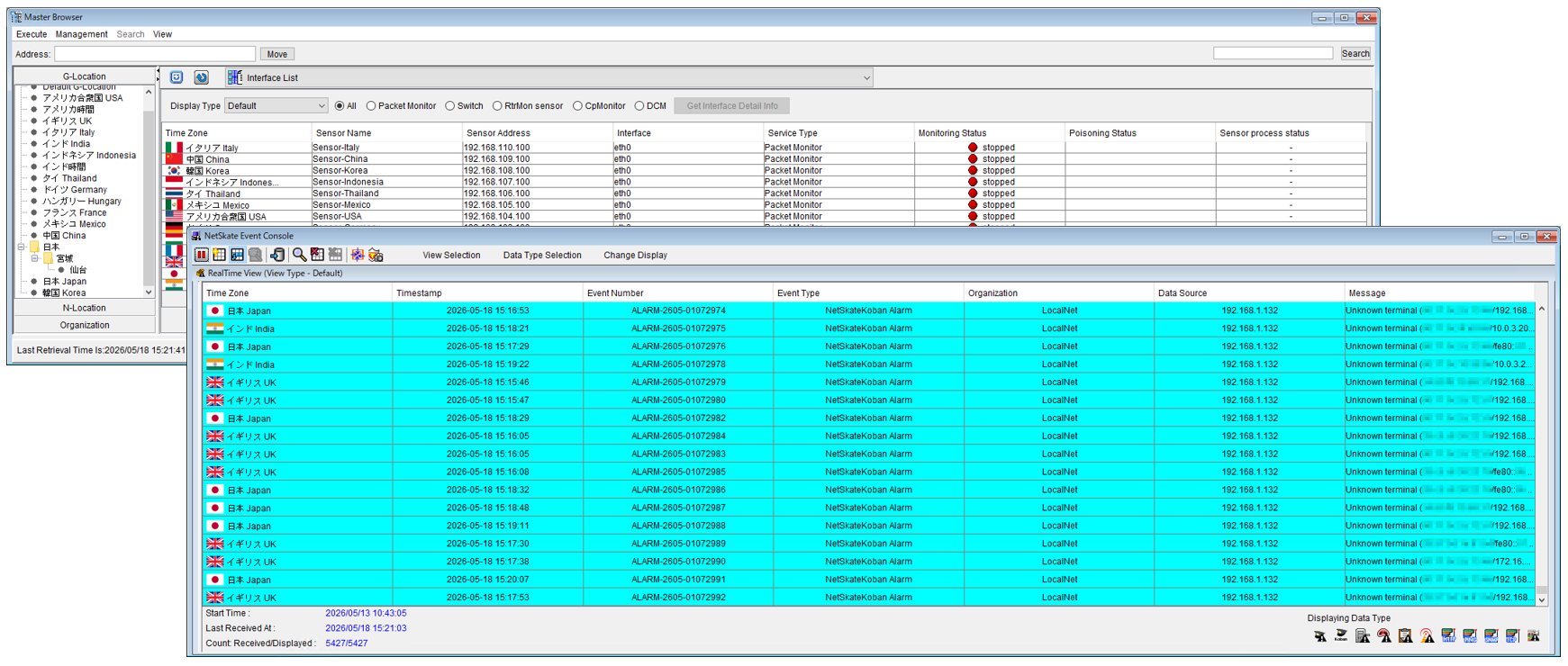
- Added a feature to change time zones
When monitoring devices in locations where the standard time changes across national borders, you can manage them using the local time.
Each sensor can be operated in its local time zone.View image
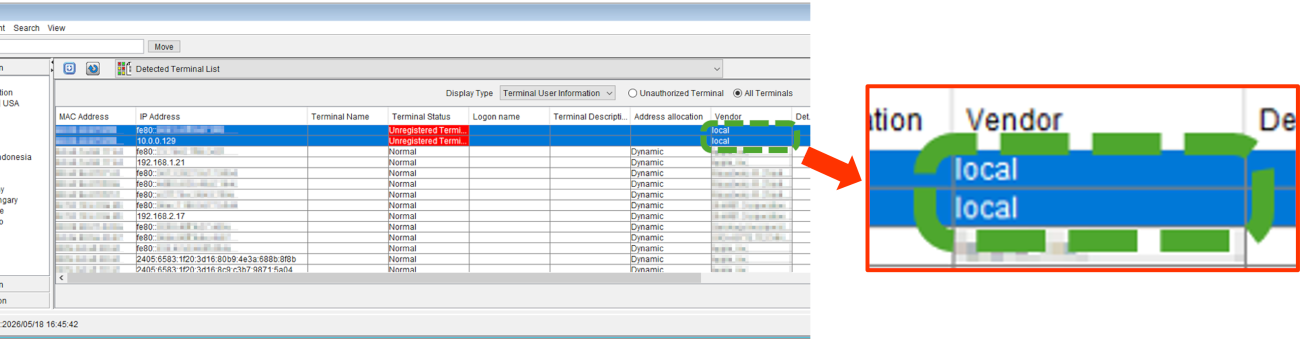
- Added a feature to detect randomized MAC addresses that are unacceptable from a security perspective
This allows you to determine whether a device is randomizing its MAC address, thereby enhancing security in device management.
If the detected MAC address is randomized,localwill be displayed in the "Vendor" field of "Detected Terminal List".View image
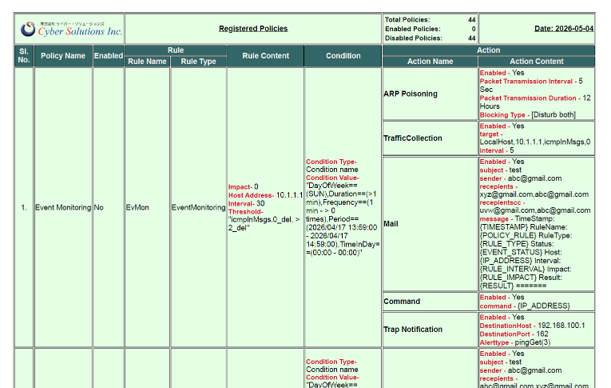
- Added a feature for policy report HTML output
HTML has been added as a report output format for policies. You can view policy registration details in a web browser.View image
- Process Optimization and Performance Improvements
We have achieved stable performance even under high-load conditions (such as a large number of devices or frequent events), enabling highly reliable operations.
NMS Module※2
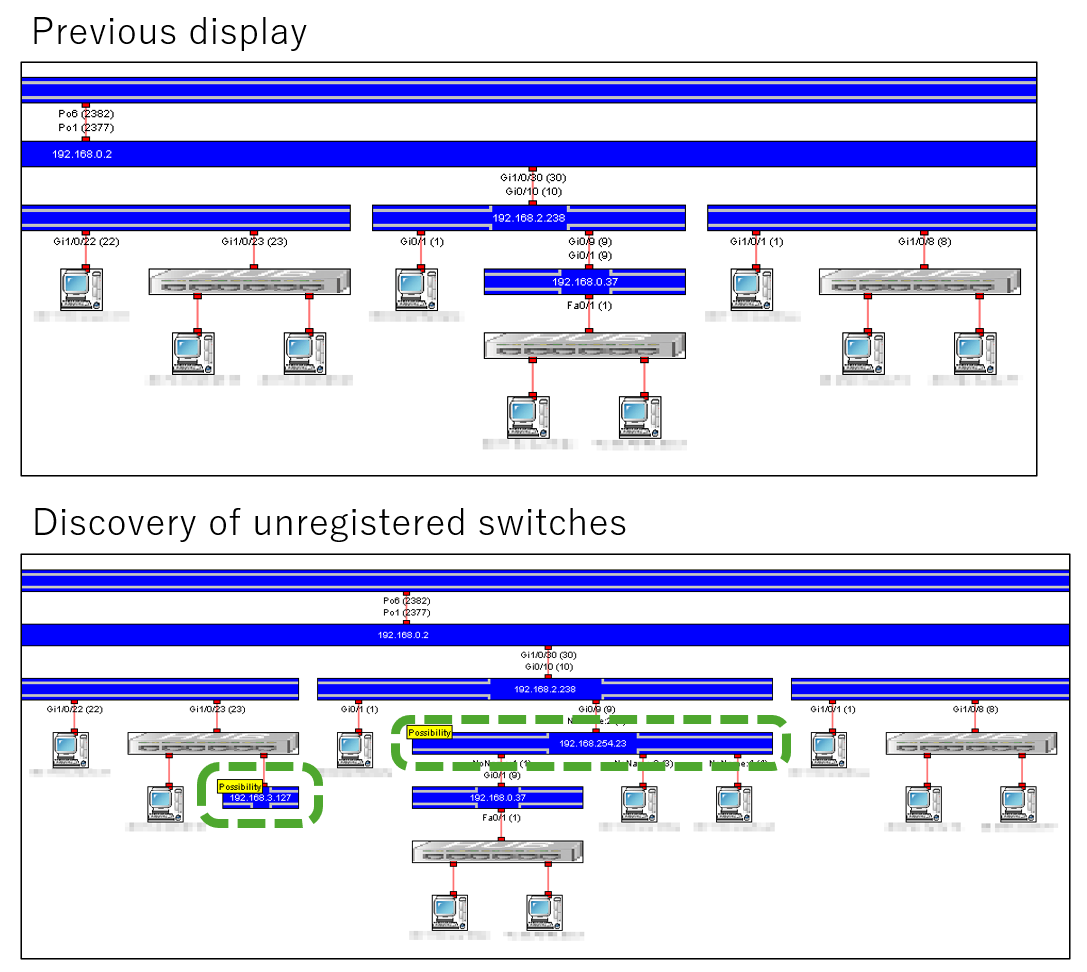
- Added a feature to detect and visualize unregistered switches
The system can now detect switch devices that are not registered in NetSkateKoban. Detection information is displayed on the network map (switch connection diagram) as an unregistered switch icon.
[Note] SNMP access is used to detect and visualize unregistered switches.View image
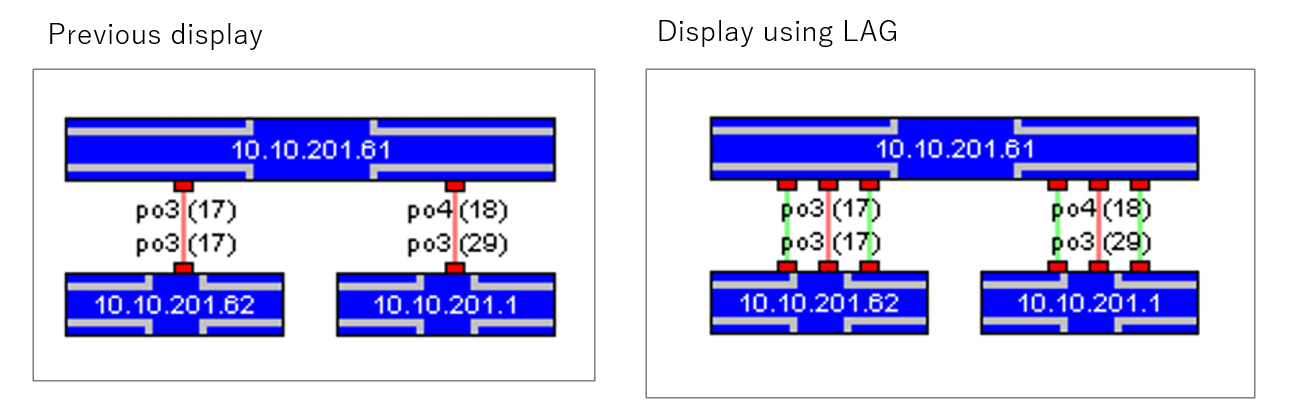
- Added a feature to detect and visualize link aggregation configurations
The system can detect link aggregation configurations on switch devices. Detection information is displayed as three connection lines between switch icons on the network map (switch connection diagram).
[Note] Switch devices must support LAG-MIB and LLDP-MIB.View image
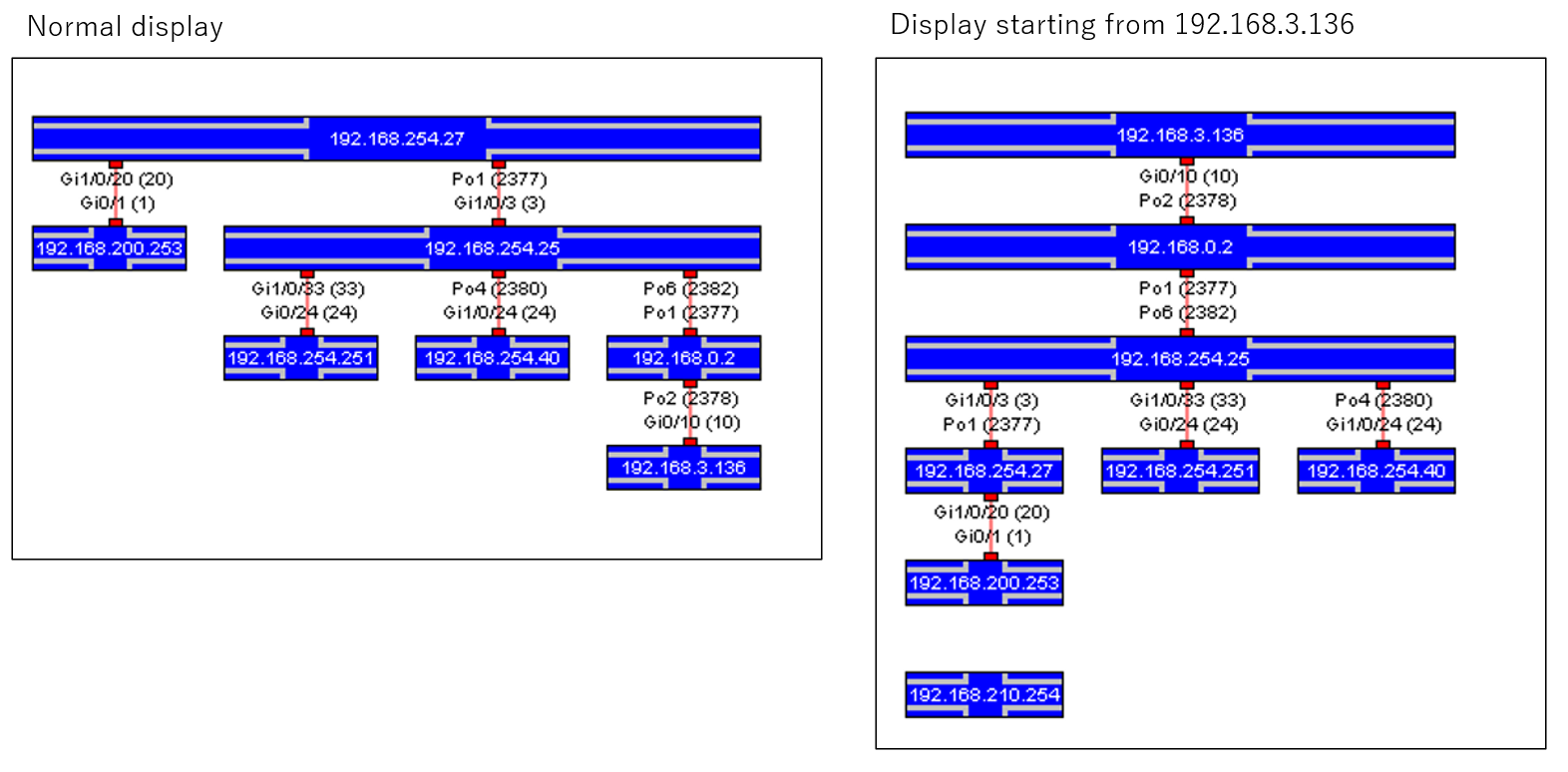
- Added a feature to redraw the network map using any switch as the starting point
In the network map (switch connection diagram), you can specify any switch as the starting point (root node) and redraw the network map.View image
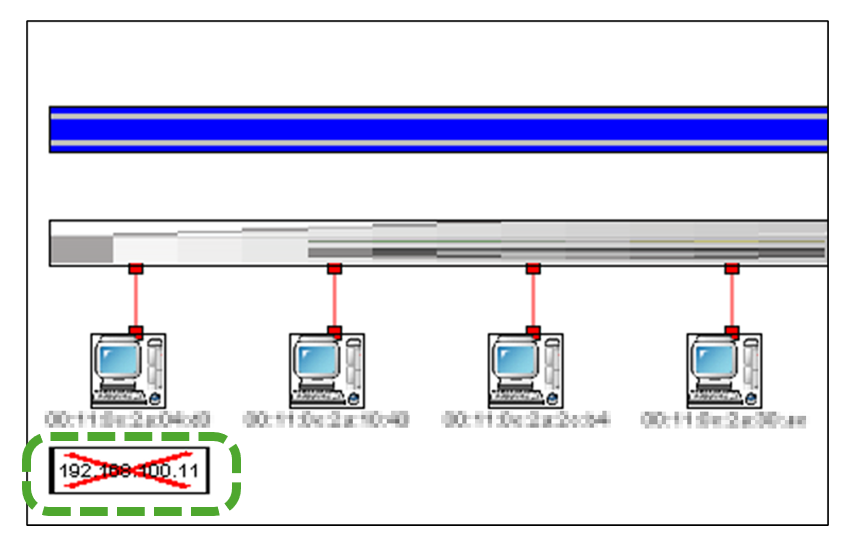
- Enhancements to the feature displaying disconnected icons
In the network map (switch connection diagram), when a switch device becomes disconnected, it is now displayed with a disconnected icon.View image
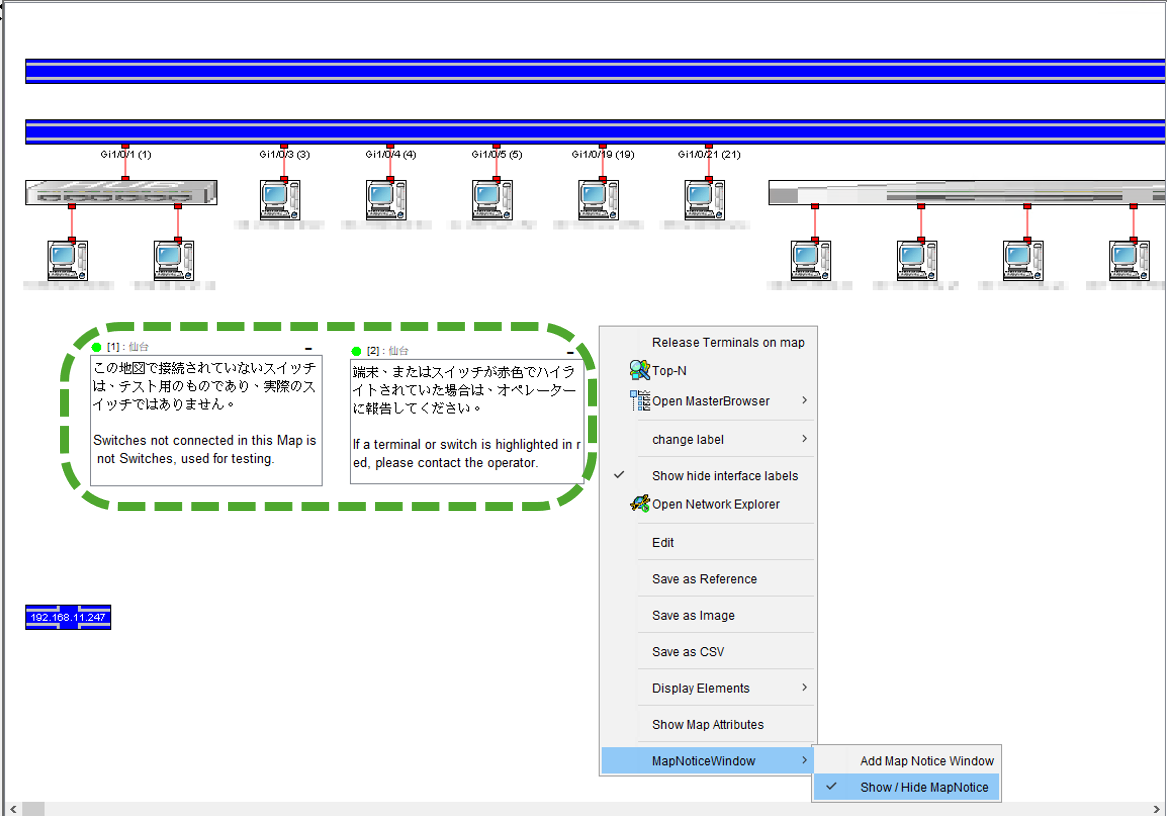
- Added a feature to add notes on the network map
You can create and save notes on the network map (switch connection diagram) screen. This allows you to share text information while viewing the network map.View image
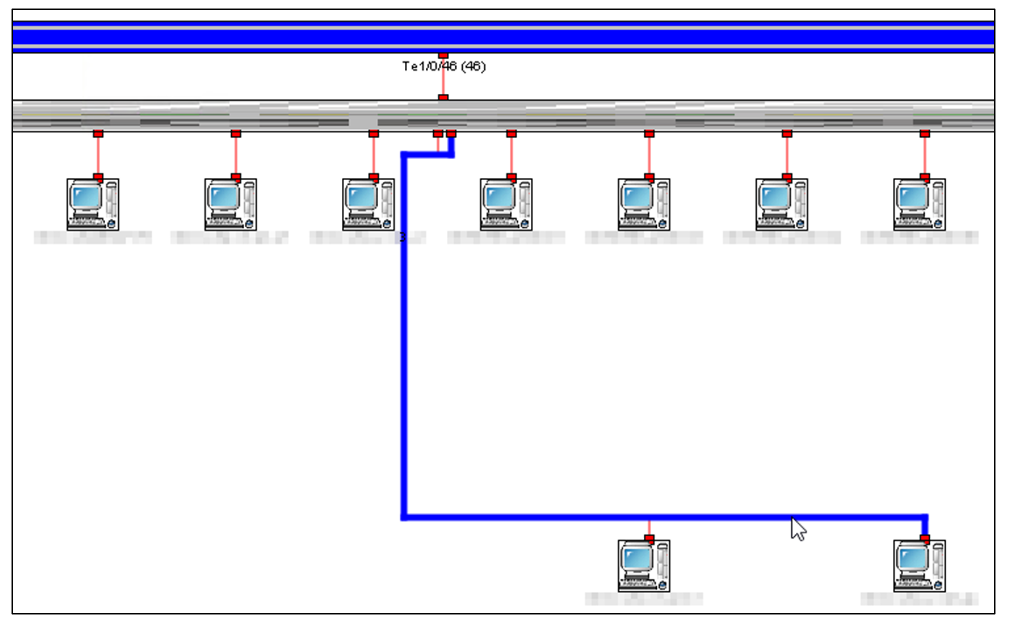
- Added a feature to highlight connection lines on the network map
On the network map, connection lines between icons are now highlighted when you hover the mouse cursor over them.
On network maps with dense connection lines, using the connection line highlighting feature allows you to identify the switch port to which a device is connected.View image
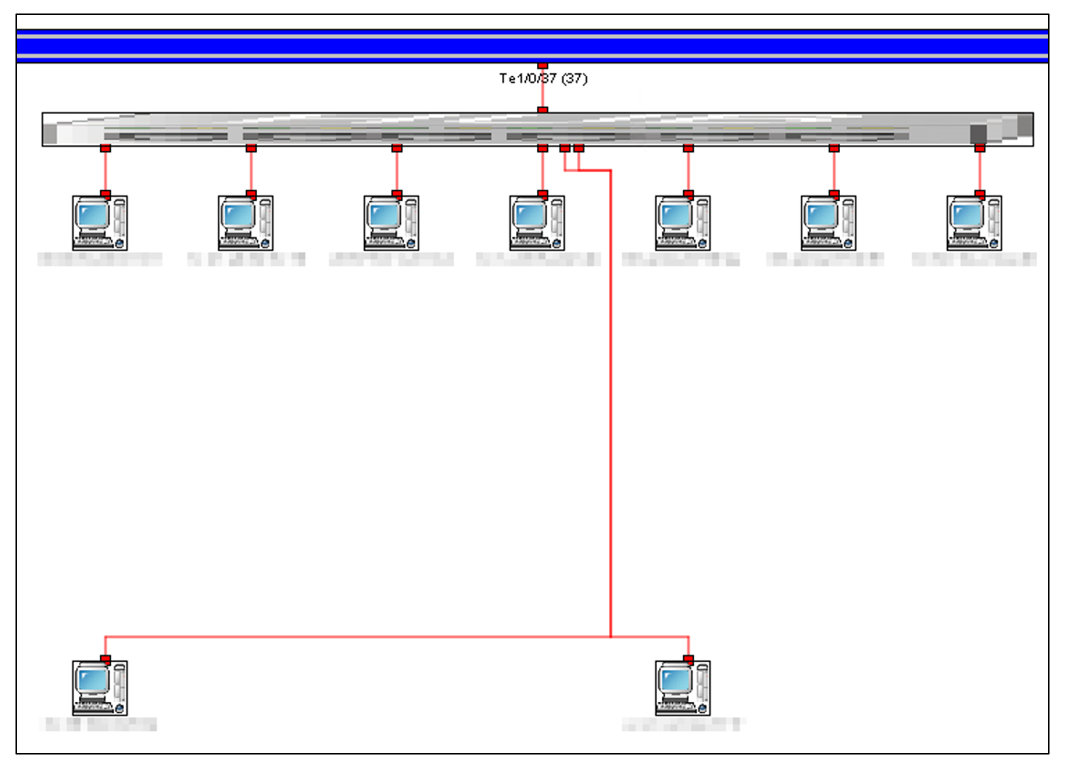
- Improvements to the connection line drawing feature in the network map (switch connection diagram)
When generating a network map (switch connection diagram), connection lines are now drawn so as to avoid elements (switch icons, terminal icons, and other icons).View image
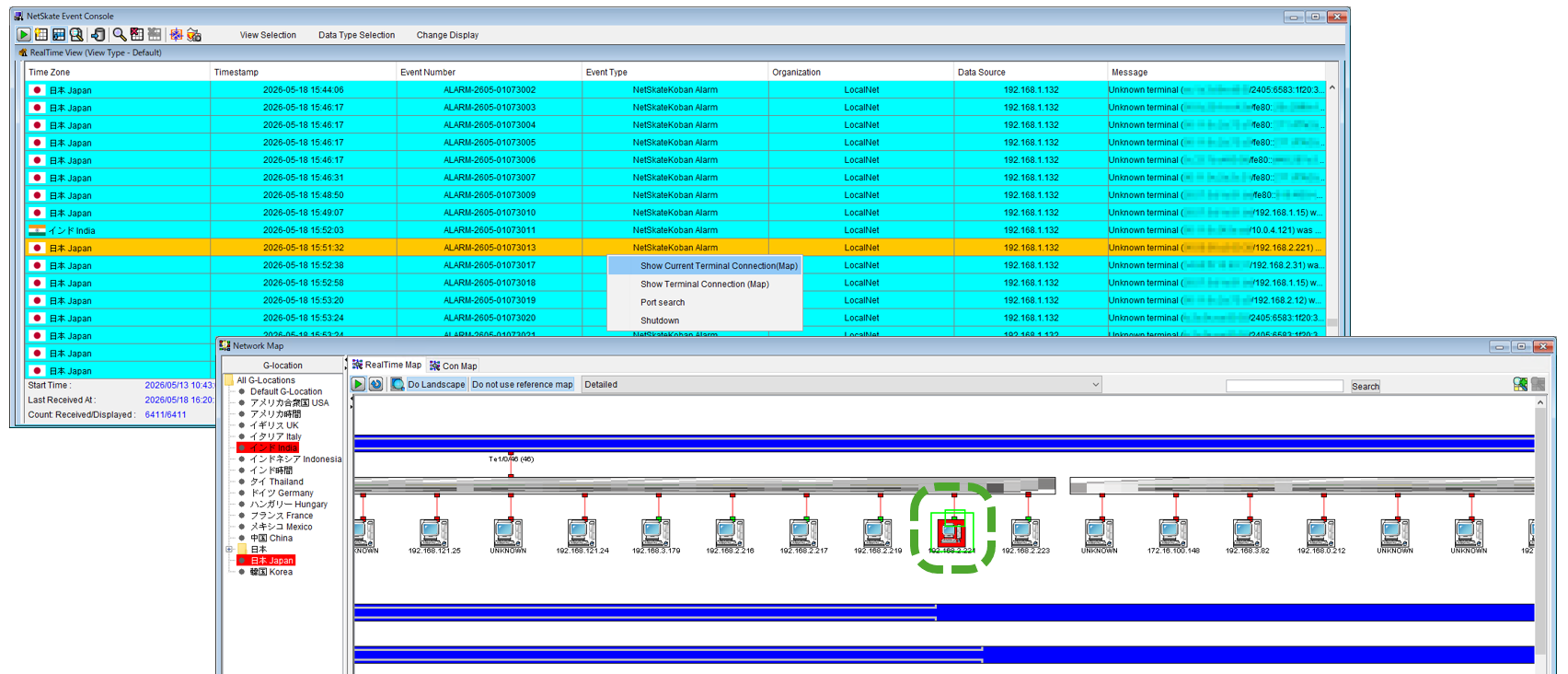
- Added a feature to display network maps (switch connection diagrams) from the NetSkate Event Console
When you select an event from the list in the NetSkate Event Console and choose to view the network map, the network map (switch connection diagram) is now displayed. The terminal icons associated with the event are highlighted with a border.
The network map can be displayed as it appeared at the time the event occurred.View image
SwiMon Module※2
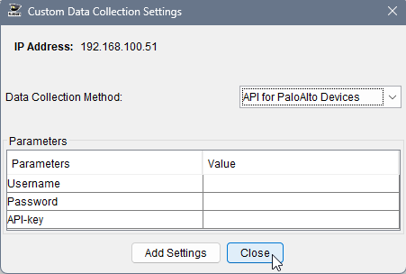
- Added a feature to integrate with Palo Alto products via API
If you set the default gateway for SwiMon sensor to a Palo Alto product, you can view the IP address of the detection device via the API.View image
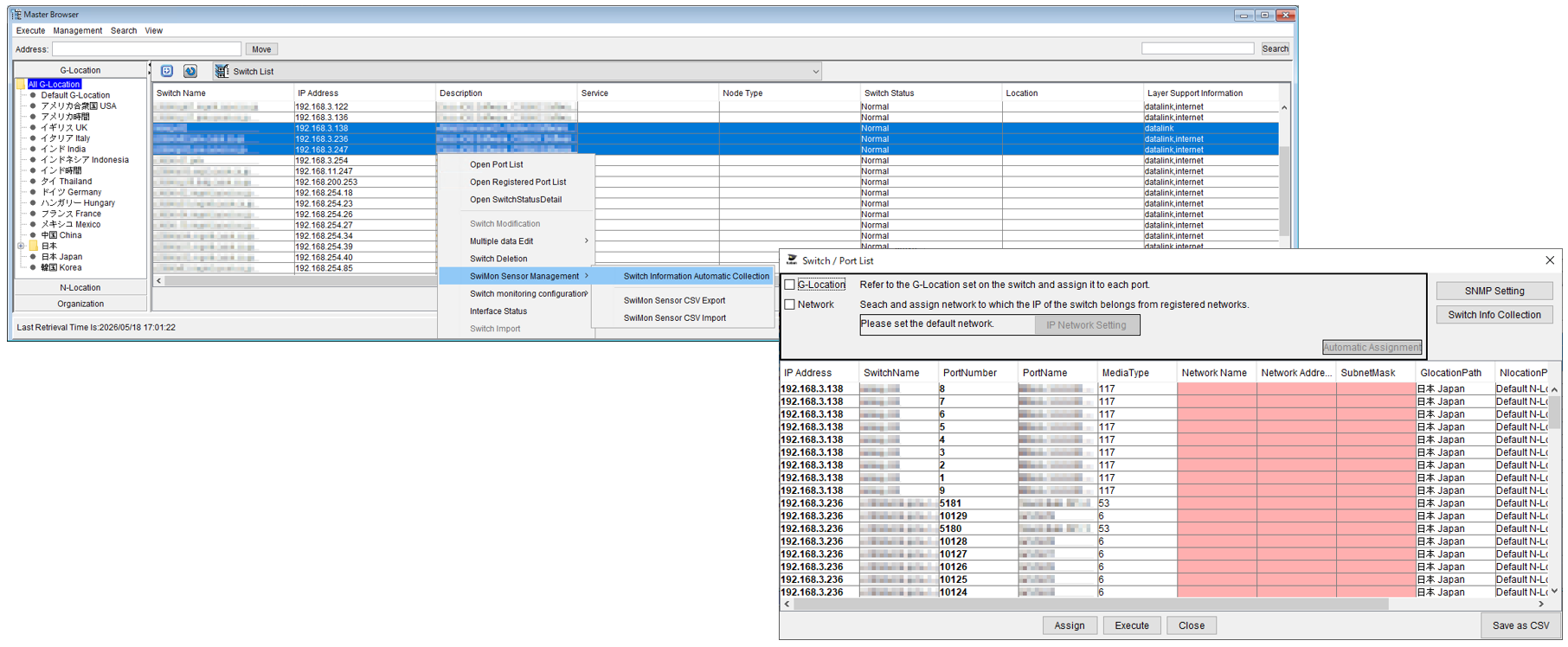
- Enhancement of the feature for registering multiple SwiMon sensors
You can select multiple switches from the Switch List and register them with the SwiMon sensors.View image
*2 NMS Module and SwiMon Module are optional products.
NetSkateKoban Product Information
Open NetSkateKoban Enterprise Product PageNetSkateKoban Introduction Examples
Open Introduction Examples PageNetSkateKoban Product Documents
Download BrochureFor those who want to learn more
For more information about v5.4, please contact us via the page below.
Open Inquiry Form